
Review every change before your DAW hears it.
Chorus stages what it proposes. You see it as a diff on the piano roll, hear it, and apply all of it, one clip, or one bar.
Added ghost snares on the last 16th of beats 2 and 4, pushed every offbeat hat a 64th late and a little softer, and a pickup kick into bar 4. Kick and clap are untouched.
Green, red, amber. Added notes in green, removed in red, moved or re-velocitied in amber, with a velocity lane underneath. The same colors run through the whole app.
+11−1~15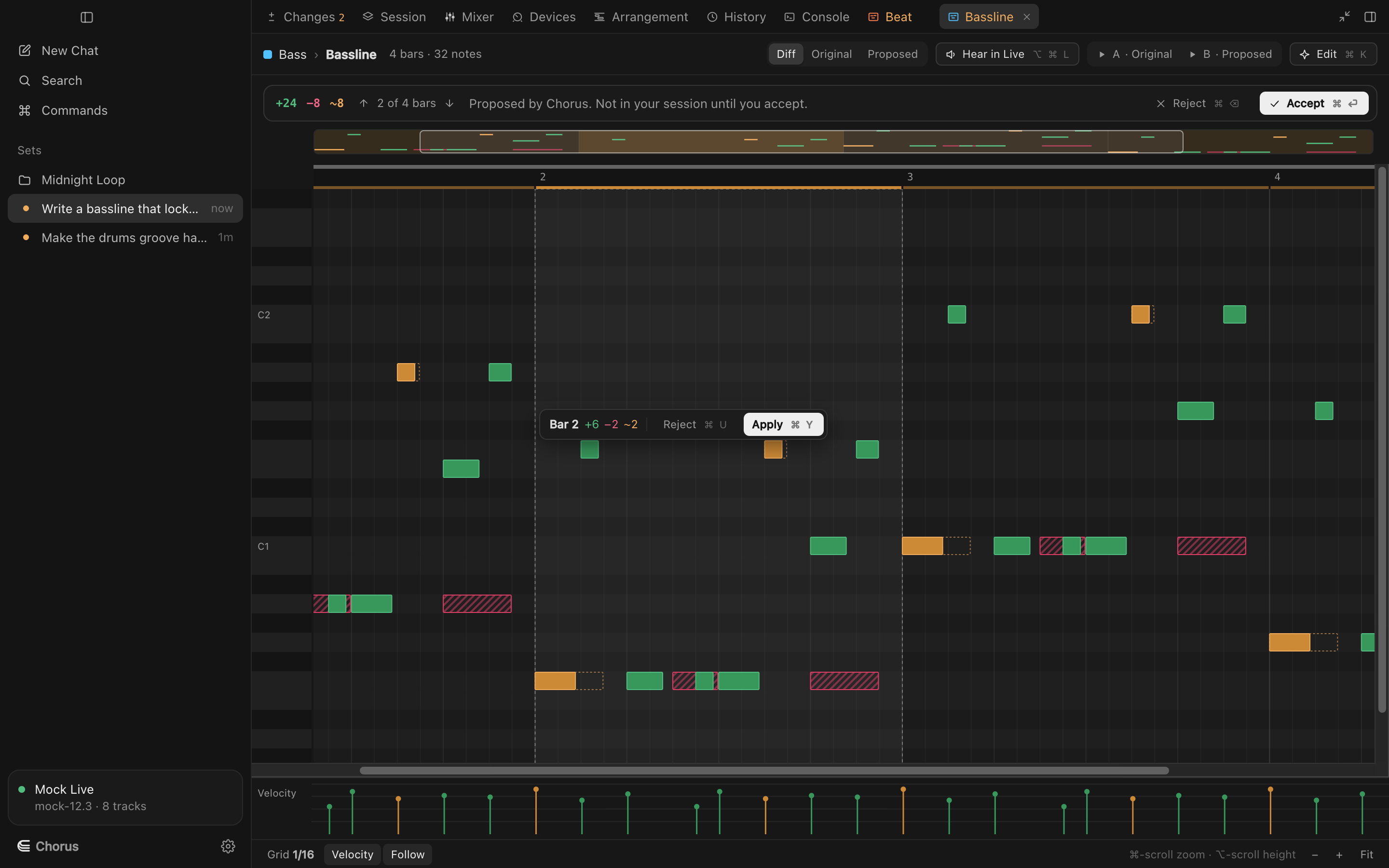
Keep the bars you like. The review widget walks the changed bars. Apply one and it becomes part of the clip; reject one and that bar goes back exactly as it was.
⌥↓ next change · ⌘Y apply bar · ⌘U reject bar
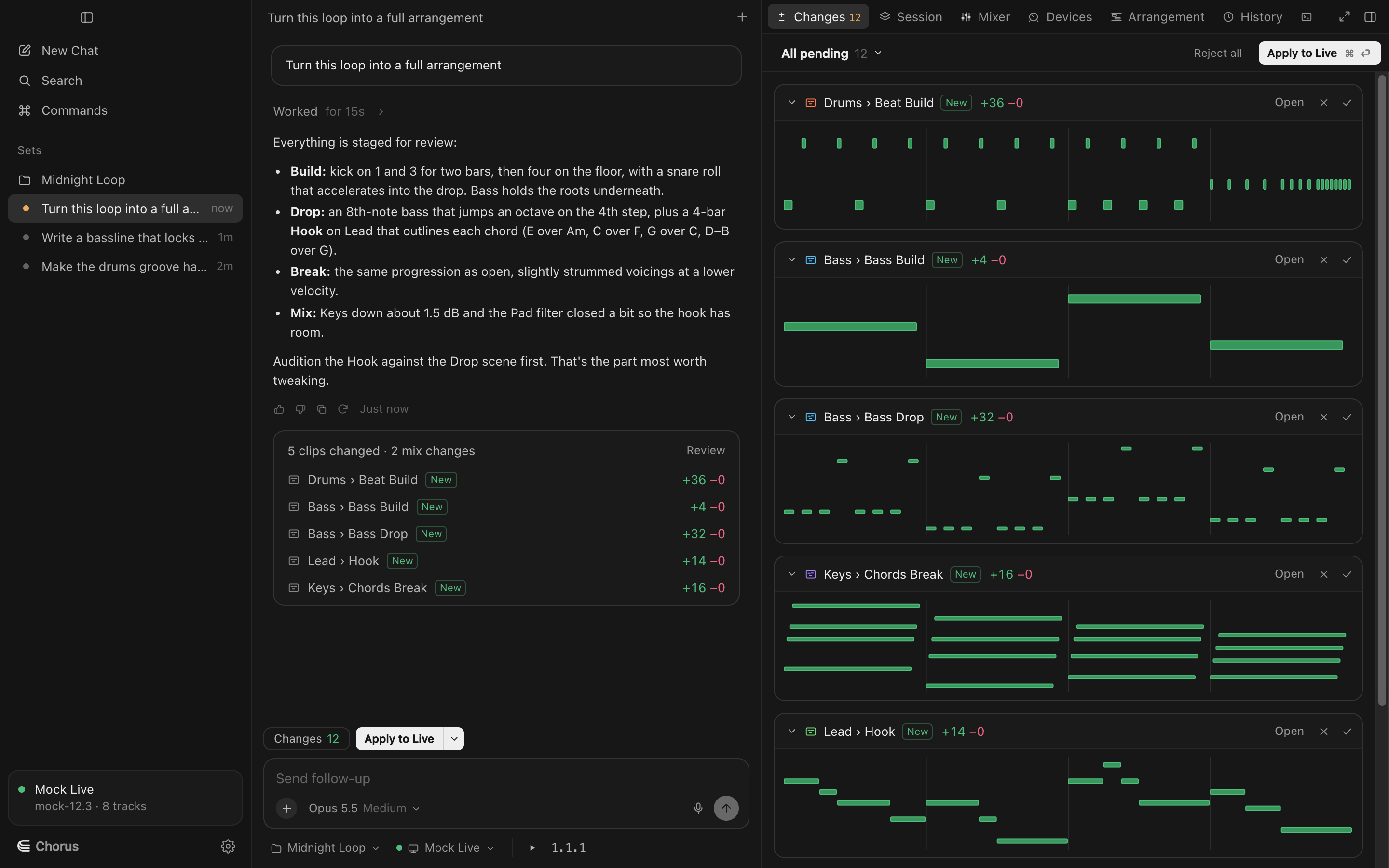
Everything pending, in one place. The Changes panel stacks every proposed clip as a small diff, with mix and device moves as before → after. Apply takes all of it.
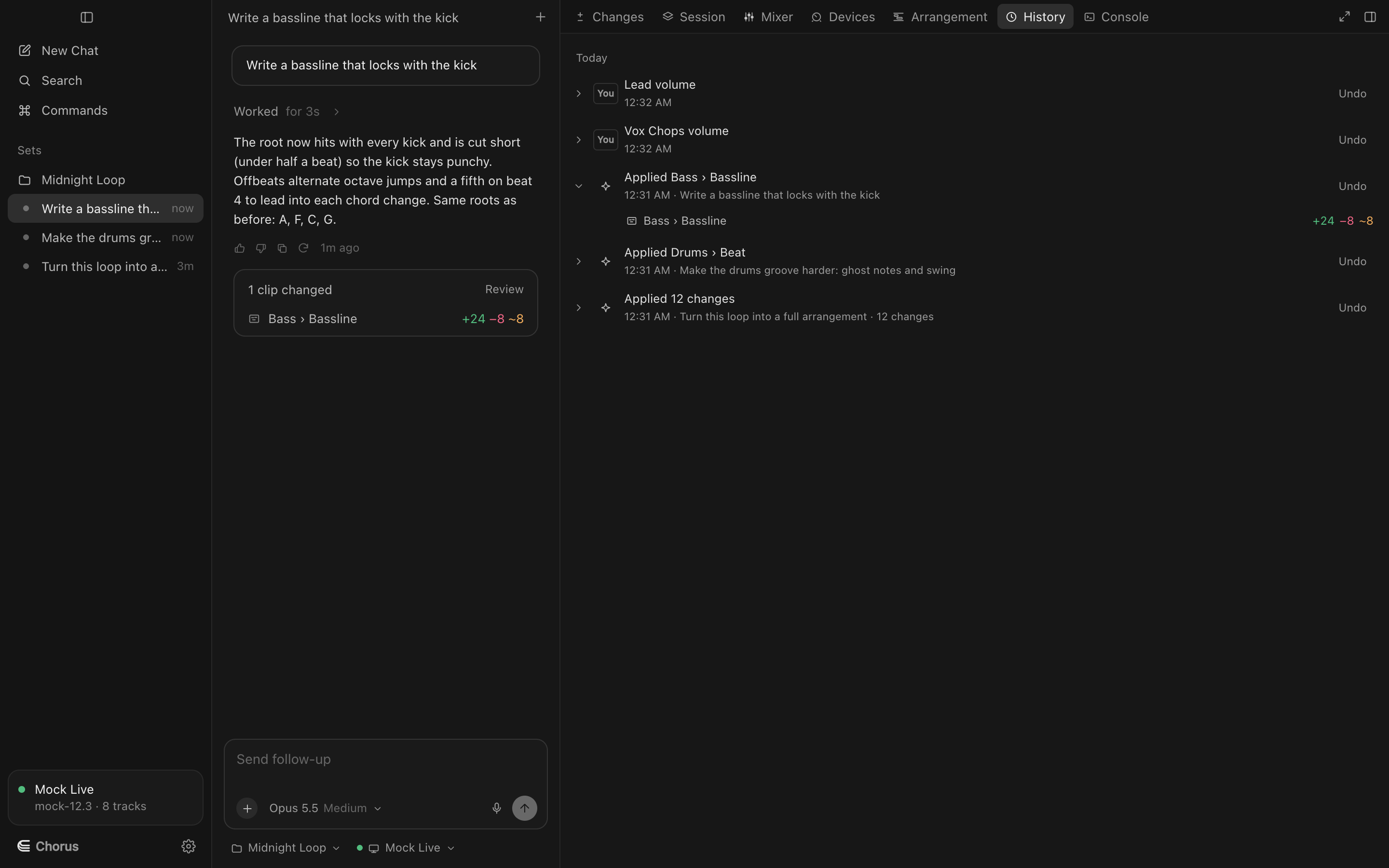
Undo anything, any time. Each apply is a History entry with undo and redo, kept with the set across restarts. If your DAW refuses a step partway, Chorus finishes the change or puts it back.
Review, in detail
Hear it first
In Live, play the proposal on your real instrument; Stop puts the original back. In either DAW, A/B it on the built-in synth.
Edit the proposal
Drag, resize, add and delete notes in the proposal itself before you apply it.
Hand edits go straight to your DAW
On a clip with nothing pending, your own edits write to Live or Logic directly, with History.
The overview strip
The whole clip in miniature above the editor, with changed bars marked; click one to jump to it.
Conflicts are caught
If you changed something in your DAW since, undo tells you what moved instead of overwriting it.
Shortcuts for everything
⌘⏎ apply, ⌘⌫ reject, and you can rebind any of them in Settings.
Try Chorus on your next session.
Free to download for macOS, for Ableton Live 12, Logic Pro 12 and FL Studio. Bring your own Anthropic key.